Battlefield Six: The Siege of Cairo promises Urban Chaos

The Inclusion of Cairo in Battlefield 6 is going to show how the series is starting to use real life locations now.

Unlike in the previous games after Battlefield Vietnam, the series tended to shy away from having any real-life locations in the game. Most were inspired not the actual locations themselves. Strike at Karkland, the famous Battlefield 2 map was based on Arabic or Muslim cities. It was a map filled with people throwing grenades and close quarters combat, unlike most maps in the game. It was one of the top maps and I remember it dominating all the server browsers. The close quarters maps were always more popular in Battlefield games; my preference is towards bigger maps but many players do not like back tracking across huge maps. Smaller maps keeps it concise and not too big that players do not retain their interest.

In Battlefield 6, I have a feeling that the game’s most popular map will be the Siege of Cairo.

There are some questions that still remain about the appearance of Cairo in the game.

One of the main questions we still have is: Will we be able to enter the Pyramids or will they on the map?
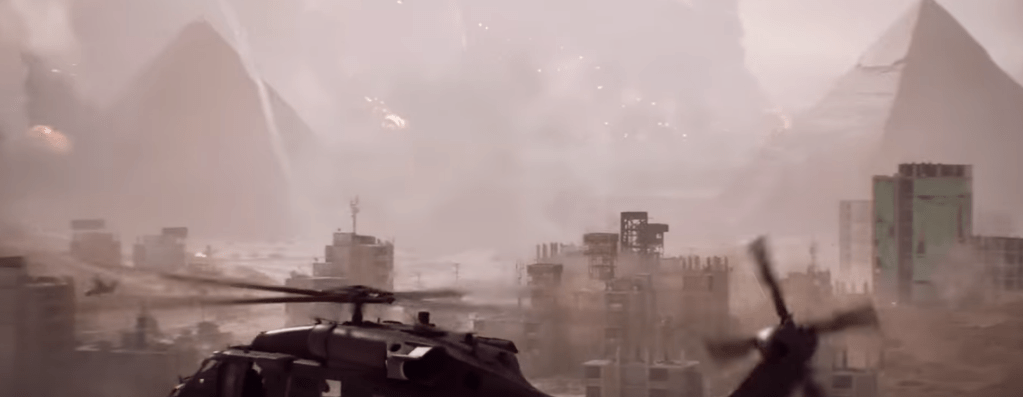
The Siege of Cairo in Battlefield 6 game.

In my opinion, the Cairo that we see on the Abbasid map shows how the franchise has changed so much since the beginning of the modern warfare part of the games when it began in 2005. There is so much density to the buildings and to the debris everywhere.

In the videos that I was watching on the Abbasid map, it was clear that the developers wanted to have a game that will be more realistic. Cairo is definitely a great city to place some great close quarter combat. Hopefully, the game will balance the maps so that it isn’t just Cairo that has all the players. Battlefield 2 had many great maps that were slow but more strategic in their gameplay. I hope that they are able to make sure that all the maps get their time in the sun.

Battlefield 6 looks great but one has to be cautious.
What Civilization VII was missing: The Demographics Screen

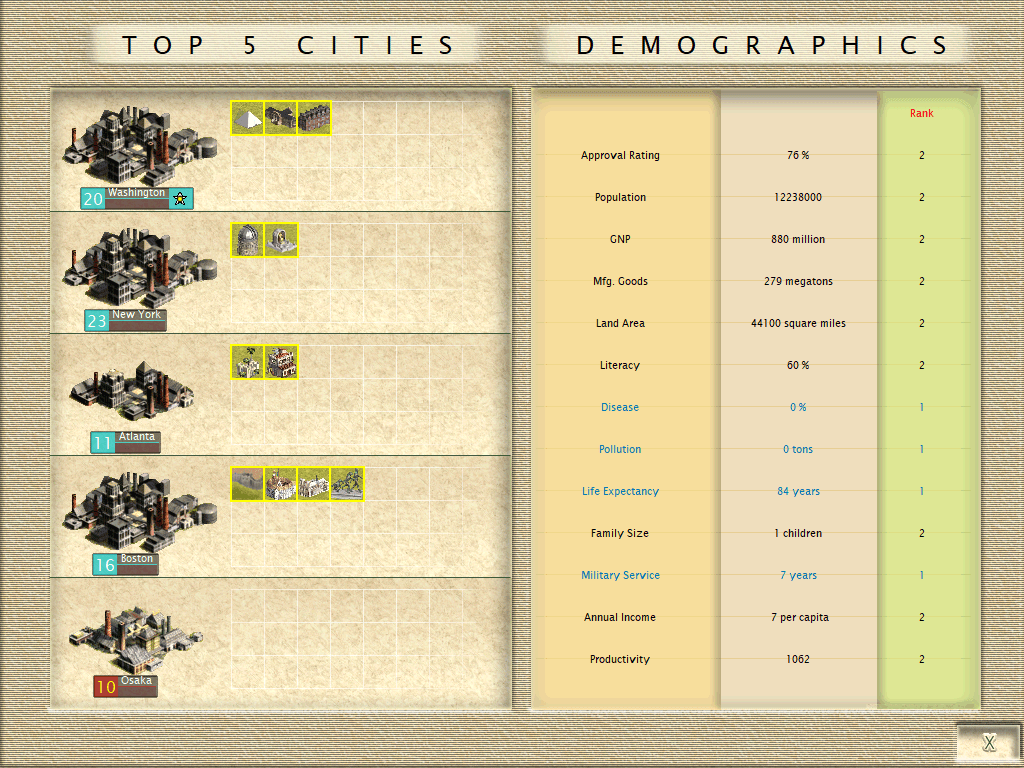
Civilization III Demographics and Top Cities

The screenshot above showcases the demographic screen in Civilization III.

In the early 2000s, developers were not afraid to put out some statistics on a screen. It was a nice practical way of showing on how the world in your Civilization game was changing and who was on top in the battle for civilizational supremacy.

In Civilization VII, we get three mini games as a replacement for it.

Civilization VII was a game that burned brightly before being surpassed by both Civilization VI and V. I have already stated why I think that the game is one of the worsts mainline entries other than maybe Beyond Earth.

There are many reasons that I have gone into about why I do not like this game. However, one of the most important reasons why I had issues with it was that the change from a game with macro view of history to a game with micro views.

The game simply does not like you think about the people in the empire. It is a board game where you just move units around it. Civilization in a way has always been this way. However, with Civilization V, the game has been moving away from a balance of the macro and micro. Now we barely get macro. Micro is rather shallow and uninteresting.

The citizen’s faces are not there now. They are simply nameless, opaque icons to move on the screen. Nationality in Civilization III was also very important, and it gave a sense of character to the game.

Civilization VII’s developers need to keep the spirits up and think that there are no big issues with the game. However, the game is not garnering much attention. No matter how many updates that they make, the game is simply not going to be well remembered by gamers.

It was the Dark Age of the Civilization Series. The next game, Civilization VIII is going to made more quickly vs the time gap between Civilization VI and VII.

Civilization VII takes away all the nerdy aspects and shows what happens when you become too mainstream and forget your origins. This is a common problem throughout the industry now. There is no soul to the games only the smell of money hiding behind the corner of every pixel you see.

Civilization VIII needs to return to what made the games great and memorable even among people who barely even played video games.

I think that Civilization VIII will be a much better game and it will start the prosess of repairing the franchise but we are going to have wait and see.

Seven Helpful tips on How to Stream GeForce Now on Twitch

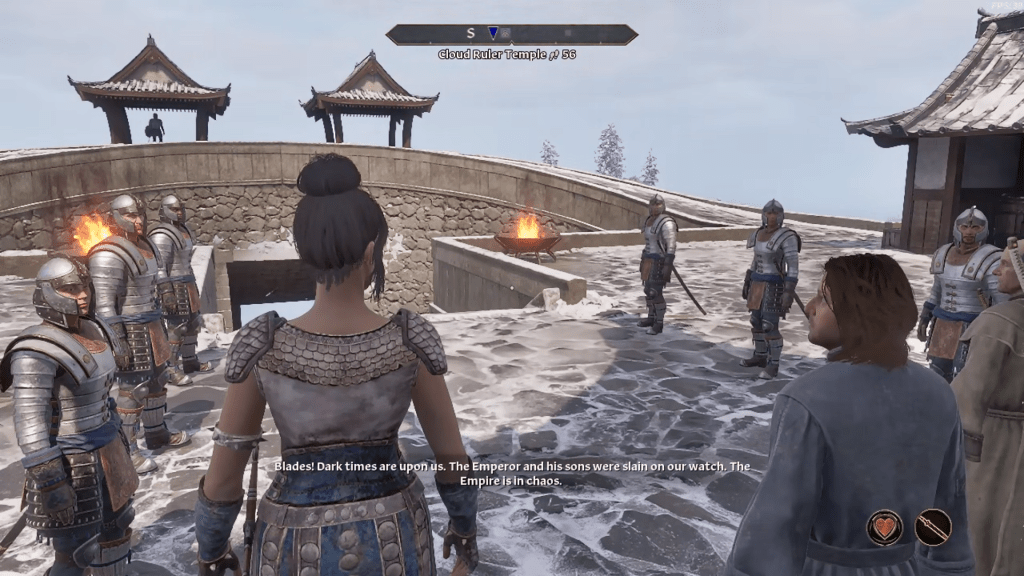
Oblivion Remastered Cloud Ruler Temple with the Blades

Oblivion Remastered is an excellent remake of the original game. When it comes to streaming from cloud gaming services, that is another story.

Cloud gaming has been around for some time now and is still struggling to some extent. It still cannot replace the smoothness of having your own computer playing a game from hard drives or solid state drives.

GeForce Now when playing Oblivion Remastered is clearly a mixed bag. The main issue is streaming the stream of video game. This puts more strain on the internet connection. The issue is once again using a Wi-Fi connection instead of Ethernet. I highly recommend using an Ethernet connection instead of using wireless connection. My house’s internet is Fiber and is very quick and efficient if on the wire, but it is slow when on the wireless connections at home.

At the moment right now, Cloud Gaming is still not a viable option for Twitch Streamers who do not have Ethernet ports. However, with Ethernet ports, this means of streaming cloud gaming becomes much more viable for players.

Solution for using Wi-Fi while streaming Cloud Streams of games on Twitch.

If you cannot use Ethernet at home or other places, you should maximize your wireless connections.

  1. Buy a more powerful router which will allow you to use more bandwidth. Some older routers tend to have more limitations on how much data they sent through wireless signals.
  2. Spend more on a Wi-Fi extenders which had help to bring more of your house into the range of the routers
  3. Attempt to play at times where there is less traffic on the cloud gaming services.
  4. Place your computer as close to the router as possible
  5. Clear out any other bandwidth consuming activities on your computer.
  6. Ensure that you are playing at a time where other family members are not consuming bandwidth at the same time as you
  7. Purchase the Ultimate plan on GeForce Now for the most powerful remote computer so that it can somewhat mitigate performance issues relating to the running of the game.