Microsoft Copilot has been my favorite chatbot since it released under as Bing Chat in 2023.
One of the most interesting new features which has been included in the AI chatbot is the ability to search through your emails through context on the Copilot website. You do not have to open the email client or go on the website and use the chatbot already included in it. You can just simply go to the web version of Copilot.
To get your inbox connected to your Copilot account, you have to follow these steps.
In the chat window here, there is an icon that is here with the arrow.
Click on the icon and these options will appear.

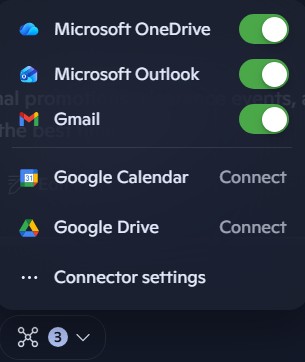
These options allow you to connect your email account to Copilot. As such, you are training the AI model with your data and making it more usable to your specific needs here.
On my computer, I tend to have Microsoft OneDrive, Outlook and Gmail as connected to my Copilot AI.
To start, all you simply need to do is write out a prompt about emails and give context about your search. This isn’t just about keywords anymore, but you can write in generalities which makes this more precise than the old systems here.

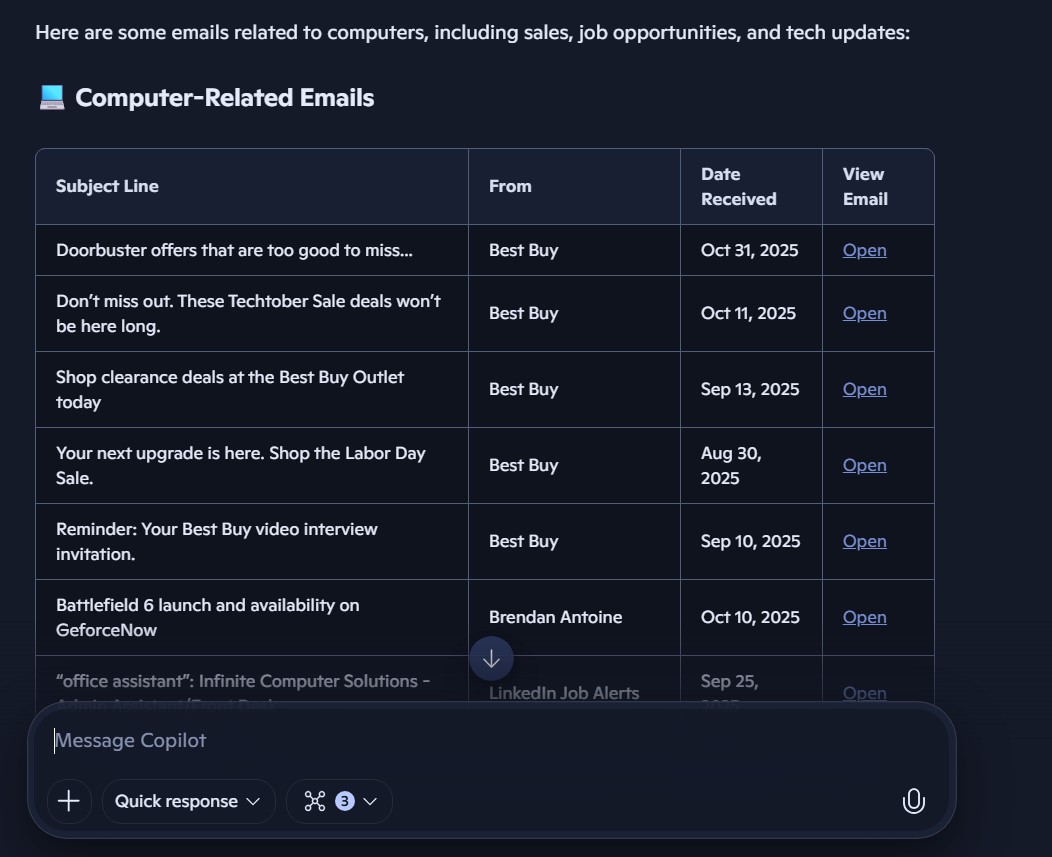
When you get a result here, it will give you the list of emails according to your search. Links are included in search and when you click on it, it opens the web client to your inbox.
This is a very powerful feature in Copilot. Instead of opening your email client with tons of emails to sync into your inbox, you can simply search for them here. Instead of just looking at keywords, you can put context into your search, making it easier to see what you are looking at here.
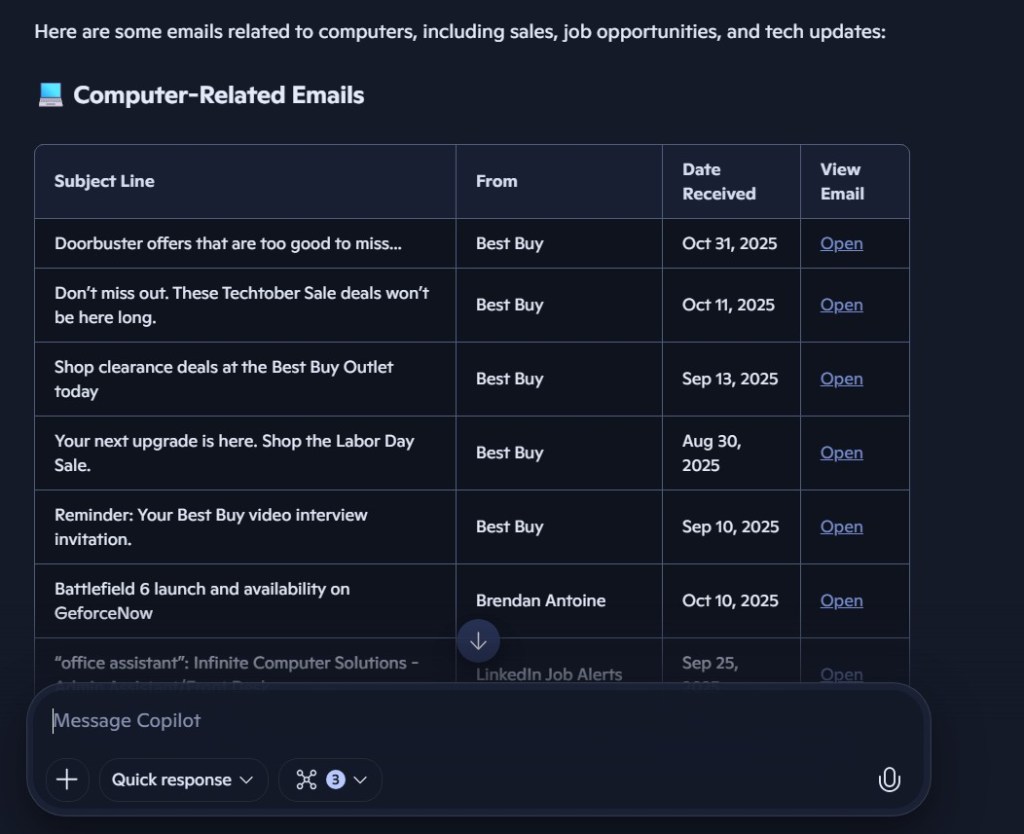
In the image above, Copilot sometimes will organize your prompt’s answer into a chart. This is the most optimal way in order to look at your emails.
What makes this so powerful is that you continue the conversation. In earlier versions, you only had keywords to work on. Now, the AI provides recommendations at the end of each answer, giving you more opportunities to optimize your emails.
Writing specific prompts also allow you move beyond keywords in your search. Here is a clear example of how powerful Copilot is.

As you can see here, Copilot is capable of more than just listing your emails in chronological order or according to specific topics. It is able to be a secretary and provide context to each individual email in your inbox.
In comparison to earlier generations of Outlook, such a tool is going to make many White-collar professionals more efficient in their jobs. It will even add newer insights to their professional careers that they wouldn’t ordinarily have.
Copilot is an amazing tool which makes something so mundane and ordinary into something that has greater potential to unlock creativity and productivity in more workers.
 My Game Reviews