

Adobe Express Firefly Image 4 Review in 2026

Japan Lotus Flower made in Adobe Firefly 4 Generative AI.

Adobe is company that been in the creative industry for many decades at this point. Photoshop is one of their most premier products and they are continuing in that tradition by leaning heavily into AI.

There are many generative AI models out there. Some are stronger than others at depicting certain art styles. Google Gemini is great at creating unvarnished photorealism. ChatGPT is great at certain kind of photorealism that leans more into Hollywood style here.

Adobe has an AI model known as Firefly and its honestly really great at its job here.

It is free and there is no subscription except to create an Adobe account here.

What I like about Adobe Express is that it centralizes the many AI models that are in use here. If you do not want use Adobe Firefly, then you purchase credits or have a subscription in order to use those models.

I think this is better than having so many separate apps for different models here. Three years ago, there was really only a couple AI models available publicly. Now, there are so many that it is becoming tough to keep up with it. Some of them have the strengths and weaknesses. Gemini in my opinion, is the best for photorealism. However, Adobe Firefly is also great here at creating photorealistic images though there is daily limit if you are not subscribed to it here.

Another aspect which is enhancing Adobe Express is its AI assistant. This allows for more precise prompts on one’s photos and art. I think that is better than Open Art Ai tools in that it has more precise editing here. Open Art’s Chat editing tools seemed amazing at first for me, but it is slow and there is still the issue of having to exit an app and go to another one if you are having issues with that model.

Much as many companies are now selling all-in-one management systems for particular industries, I think Adobe has the right approach here.

The Adobe Premium plan starts at $9.99 a month or $99.99 a year. I think that this more affordable than their previous plans which were Photoshop or Premiere Pro bundles.

I highly recommend getting this subscription as this is a great digital art and AI hub for creatives.
Why Steam Needs an AI Chatbot

Amazon currently has Rufus integrated into its interface. This chatbot has been very useful for me when using the website to shop clothes and jewelry in particular.

However, when it comes to Steam, there is still no Chatbot guiding prospective purchasers. I think there is an important reason why there should a Steam Chatbot. There are simply too many games on the platform now and we need a better way to find games on there, so the best games get more attention by gamers across the globe.

Steam is a Jungle of Games

Amazon is a jungle and so is Steam. However, one has a navigator while the other is simply an unknown wilderness where you trust your gut that you are actually going to get an interesting game.

Ever since that Steam allowed for so many developers to use Steam as a place to self-publish their games, the place is full of hobby games. While these games may have merit, there is sometimes a need to have a budget which can full realize a game.

The current means of searching through games is not sufficient here.

We need a better way to get games on Steam and that means a Chatbot would be a great way to get through the many games that are now uploaded onto the platform now.

Imagine if you were able to type in your favorite genres and be able to get that information in a more concise way instead of going through Steam’s clunky interface here. The scrolling gets tiresome and we need a change here

An important aspect to the game: Comparing games

An important aspect of this Chatbot would be an ability to compare games easily here. Instead of having to go through multiple tabs, you will be able to compare games within the chatbot window, allowing for players to focus on getting the games they want to purchase.

AI makes information searching easier

I think that Steam has been a great place for many independent makers of games. However, we need have a better way to search for such titles.

How to make music with Google Lyria in 2026

Google just released their AI music creator on the Gemini Chatbot platform. I was aware that Google was already getting their feet wet with the AI music, but now its available for the public.

Here is a guide on how to create music with this publicly available tool here.

What is Google Lyria?

Google Lyria is an AI music creator with Google Gemini which will create songs from various genres based on your word prompts, image prompts or video prompts.

This AI music generator is very efficient and easy to use. It is able to create songs within seconds which is better than its closest competitor, Suno, which while a good platform, is too niche. I prefer having everything AI in one app and Gemini provides that right now.

How to make music with Google Lyria

In order to create music. You need to get to the Google Gemini website or app.

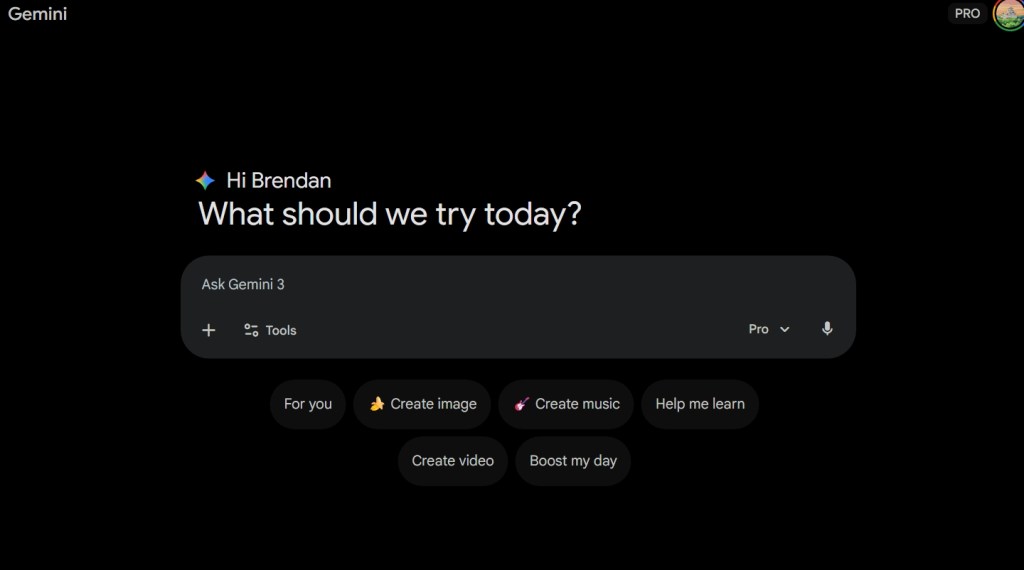
There is a new icon avaliable in your options known as “Create music”.

Google Gemini Create Music Icon

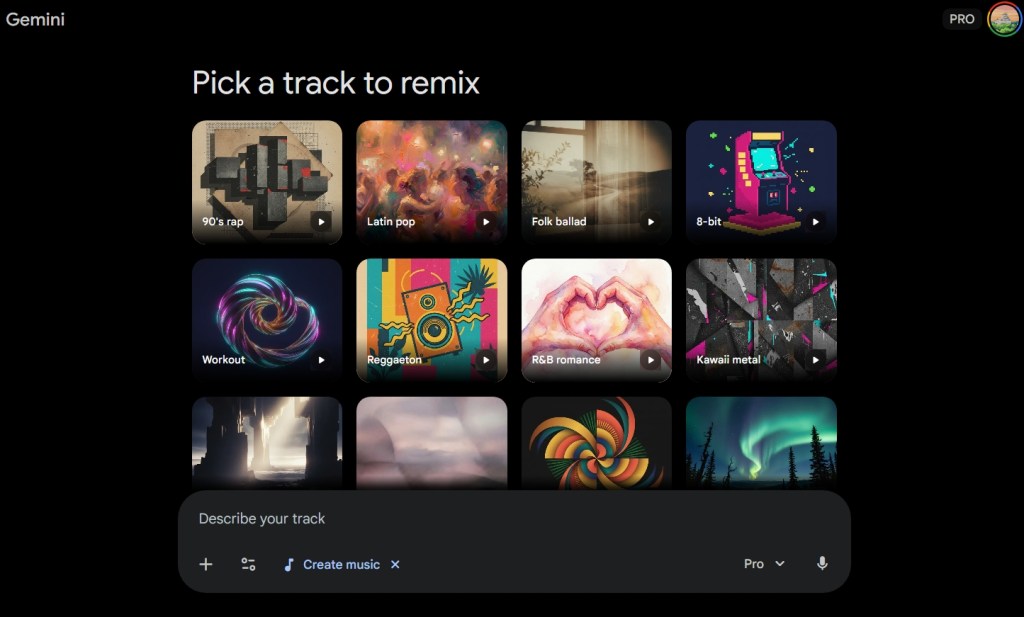
When you click on that button, this screen will appear here.

Google Gemini Music Remix Interface

Google Gemini’s Lyria model gives you multiple tracks to remix in an interface similar to that of Open AI’s ChatGPT ai image generators.

Google Lyria Music Creating Songs

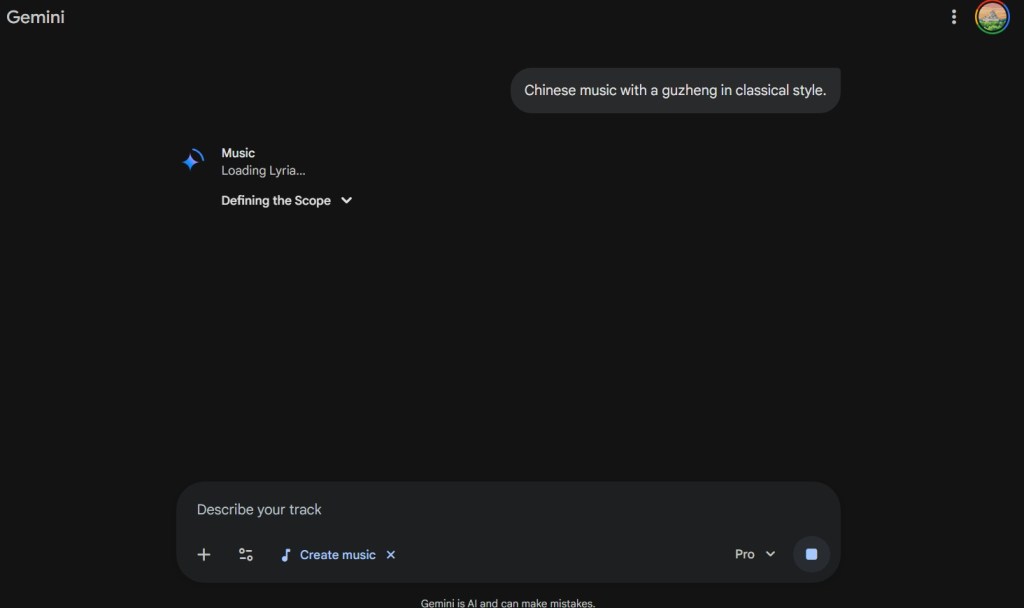
I decided to type in a prompt for making Chinese Traditional music with the guzheng here.

Lyria is prompt at making the music. Each song that is created is 30 seconds long.

Right now, the one area that it differs from Suno AI is that the songs are limited to 30 seconds.

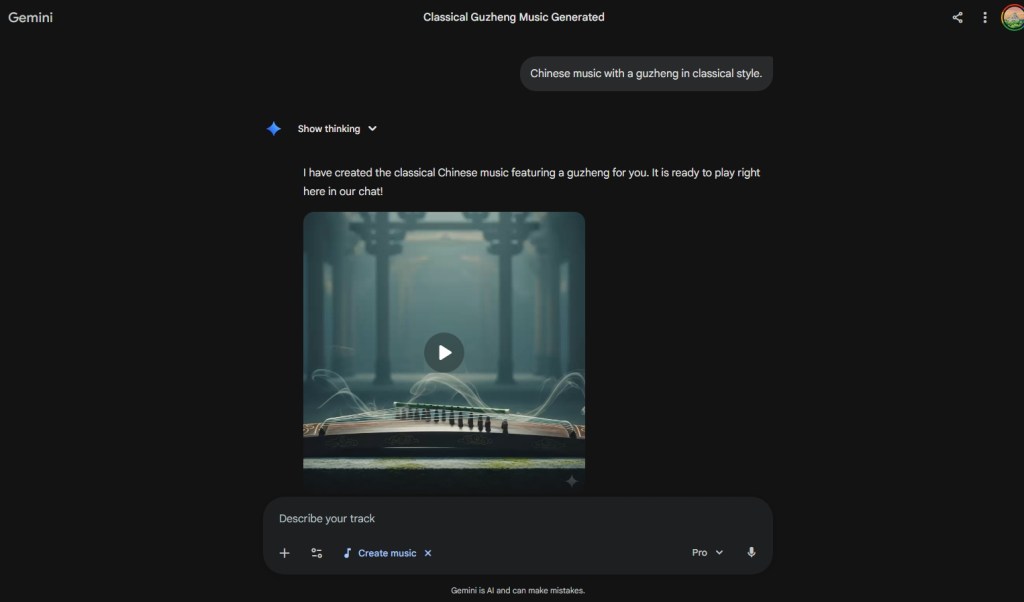
Here is an example of one creation here.

Google Gemini Guzheng
Google Gemini Guzheng Icon Image

As you can see, Gemini’s music AI model will create an image which represents the essence of that song here.

The quality of the music is very high. The Guzheng is one of my most favorite of all musical instruments.

How should you use Google Lyria?

I have already been using Suno AI to create quick songs for me to put on my MP3 Player. Many of these songs are enjoyable to play. Considering that I have an interest in Baroque and Classical music, these AI songs are not as much of a bother for me.

If you have a YouTube channel, having these AI music creators are a great substitute to taking other people’s music. While the human touch is very important, people have been using stock music and images for many years. Now, we can even more precise usage of such content to enhance your videos.

Considering that these songs are only 30 seconds long, I believe that Lyria is great for making music for intros to your videos here. In this era of YouTube videos, intros are very important for getting people interested in your content and most importantly, increasing interaction with that same content here.

Google Lyria is an amazing tool already

This new release is an amazing tool and shows how powerful Large Language Models (LLMs) can be. That you can attach a video and create a song will reinvigorate the creativity in humanity. AI can be both a companion and tool in this journey to help water the garden of our imaginations.