
Why ChatGPT’s Approach to Ads is better than Google’s

ChatGPT ADS

Google has made a fortune on its Google Ads platform. Billions of dollars of ad revenue went straight from newspapers and TV and right into the search engine’s wallet. However, it is clear that this approach is now outdated and some change is needed in here.

Enter ChatGPT and its approach to ads.

I have been using the ChatGPT Go subscription for some time and the ads that it gives are more related to your search queries than I have seen on traditional search engines.

As I explained in this previous post here, ads on the platform appear towards the end of a query. This is different from say the older model where ads were just covering most of the first page of the search. Google is also putting its AI overview front in center when your search query has easily accessible information here.

This is a better model for ads and people will actually be productive instead of this scrolling culture we have had on the internet for so long here.

The issue is that much of the social capital of the internet is not in the same quantity as it was once before. We have a country which is reactionary and trying to ban cell phones in schools. We need to be using AI in order to enhance our economy and culture here. This is the approach we should be taking here.

I think that ChatGPT’s ads will not be intrusive in here. There are some who think that OpenAI has betrayed their userbase; they have to remember that this is an expensive website to run and ads will help them with the costs in here.

My experience with ChatGPT Ads

I am a Sagittarius, so I am heavily using ChatGPT for asking abstract questions about philosophy. This sort of query isn’t really going to give you ads. On some occasions, it will show ads based on my conversations, but this is generally related to what I am talking about here. These are ads which have a purpose beyond just being an ad. Alot of sites, especially smaller ones, tend to have ads that do not have anything to do with the topic on the site.

ChatGPT should make advertising on the internet more relevant to the consumer and more profitable for the companies using these platforms to advertise their products and concepts.

These ads are not random but are shown as result of the conversation you have.

Sometimes they show up quickly, other times you have to have a conversation to get an ad in the chat here.

Generally speaking, I notice something specific about when the ads show up here: Asking about the purchasing of a certain item is bound to display an ad more often than talking about abstract concepts.

This makes sense.

Purchasing items is really want you wants ads front and center. Most advertising is really just to sell goods not ideas. Of course, you can promote ideas and sites, but the main emphasis is on the selling of goods in here.

This is what ChatGPT should be trying to achieve with their ads. They need to be precise and not too wide. Google’s sponsored ads would just take up the whole screen. With ChatGPT, advertising can actually make people on the internet more efficient instead of wasting time scrolling to their next destination in here.


How to make professional selling images for your eBay store using ChatGPT Images

ChatGPT Ebay 1

ChatGPT is changing the world of ecommerce by making it more efficient to showcase images of what you are selling online.

On eBay, great images are vital for making a shop successful and turning a hobby into profitable reselling business.

Here are the five steps to use ChatGPT in order to create professional selling images that will be much better than using your old camera.

How to create professional selling images for an item on your eBay store

To start, make sure you have taken photos of your items before uploading them into the template.

Step 1:

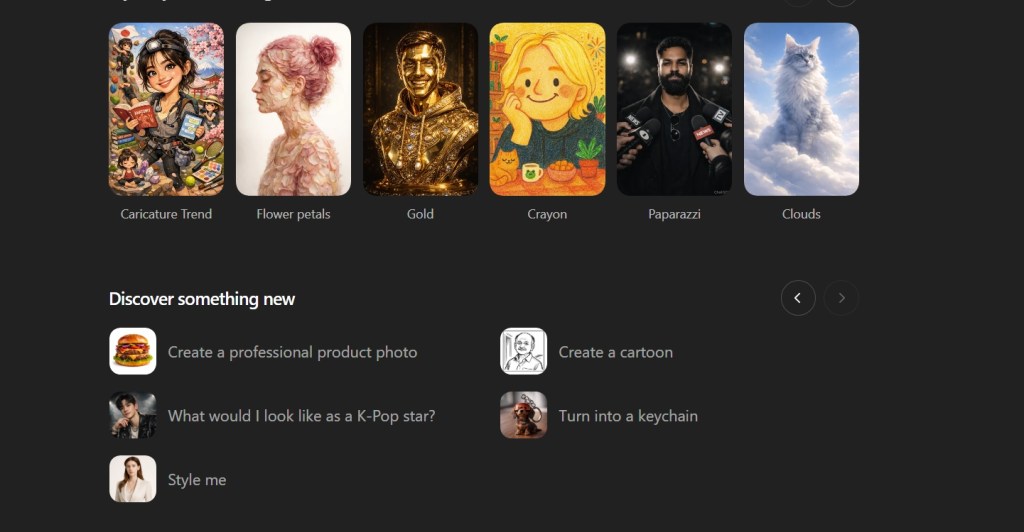
Select: Create a professional product photo

ChatGPT eBay 2

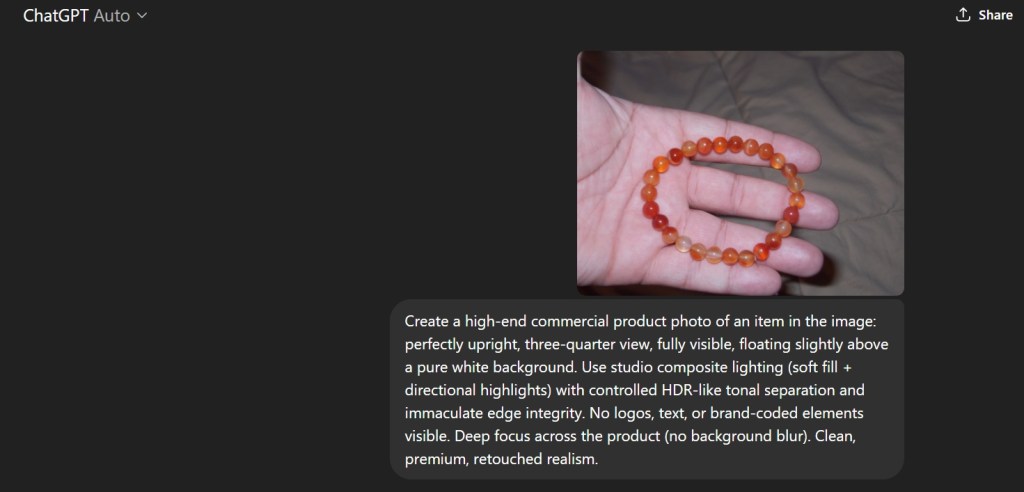
Step 2: Select photo to use with the template

Note: ChatGPT will show you recent photos that you made within their platform to use as a way to guide the chatbot to creating your preferred professional photo.

ChatGPT eBay 3

Step 3: Upload the photo.

ChatGPT will show you the prompt that it will use to create these professional photos.

ChatGPT eBay 4

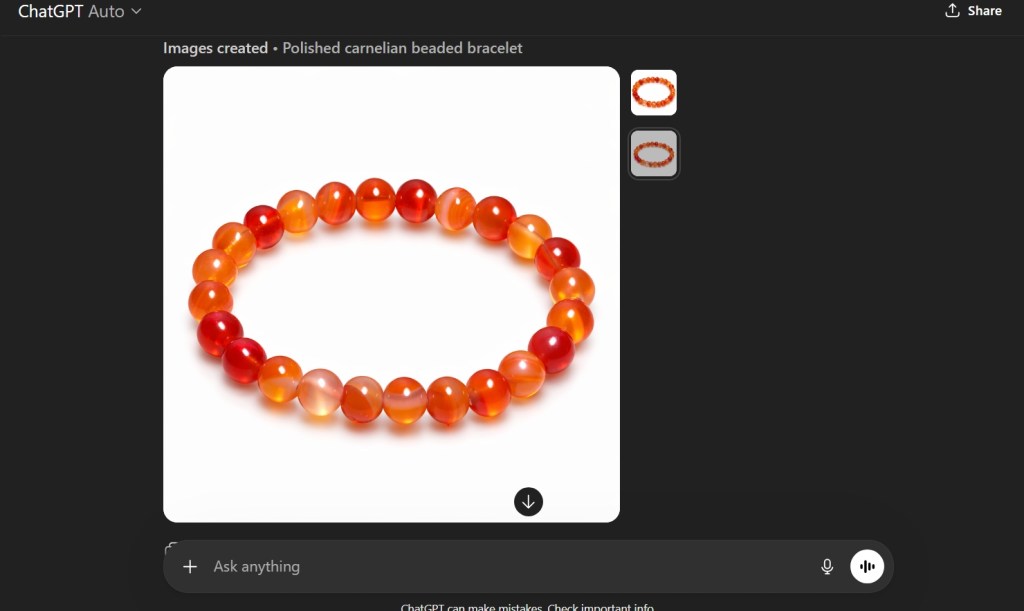
The Result?

You get a clean professional product photo without having to get your white surfaces for your camera.

This will greatly help to speed up the process of making clean pictures of your products on eBay.

ChatGPT eBay 5

ChatGPT Deep Research Tutorial for High School Students

ChatGPT Deep Research

ChatGPT is changing the world of education, and I hope to be able to help make the process more usable for students specifically in the High School settings.

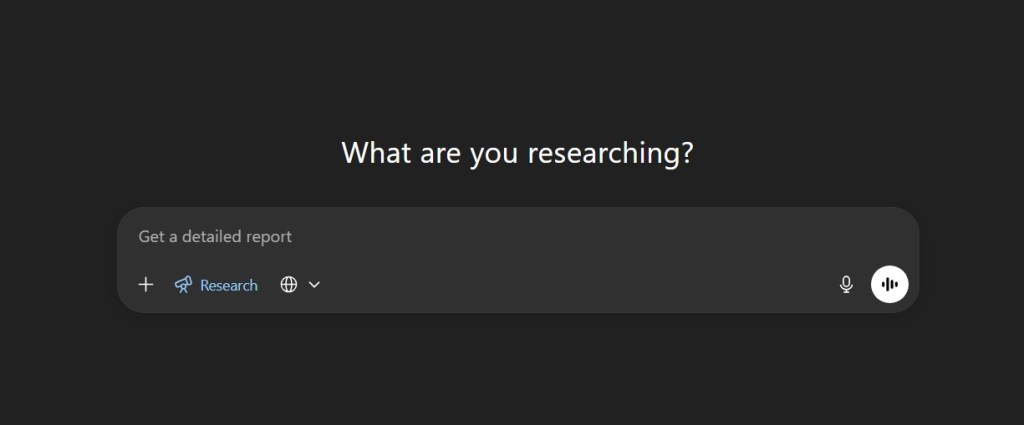
A new feature is available in the new versions of ChatGPT known as “Deep Research”. Basically, it makes ChatGPT spend lots of time looking through every source of information available to give you the best answer for you to do research on your topic.

Using this process requires that you are subscribed to ChatGPT Pro.

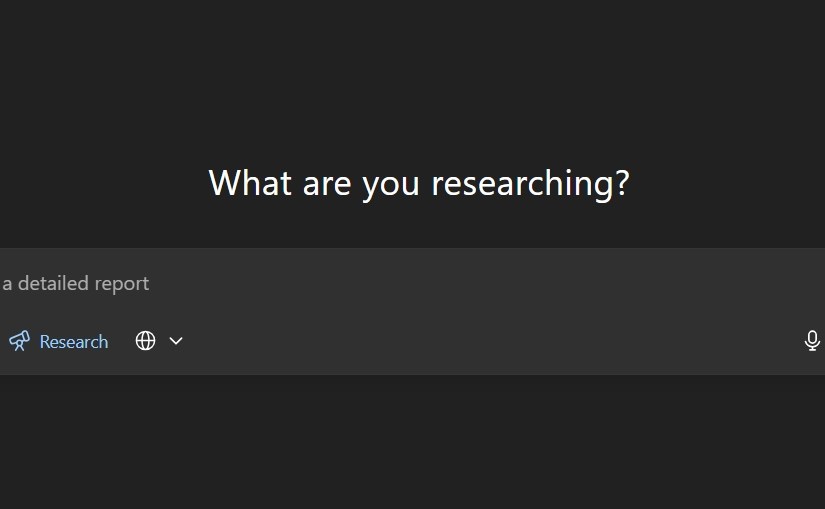
Step 1: Use the Deep Research button on the chat box in ChatGPT

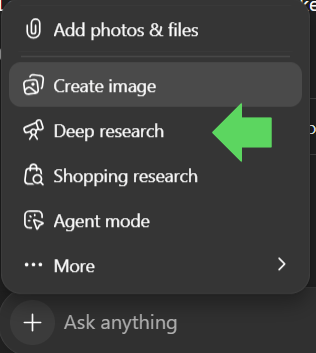
Click on the plus sign on the chat box in ChatGPT.

Then scroll to the Deep research with the telescope icon and click on the button.

ChatGPT Deep Research Icon Screen

Step 2: Ask your question

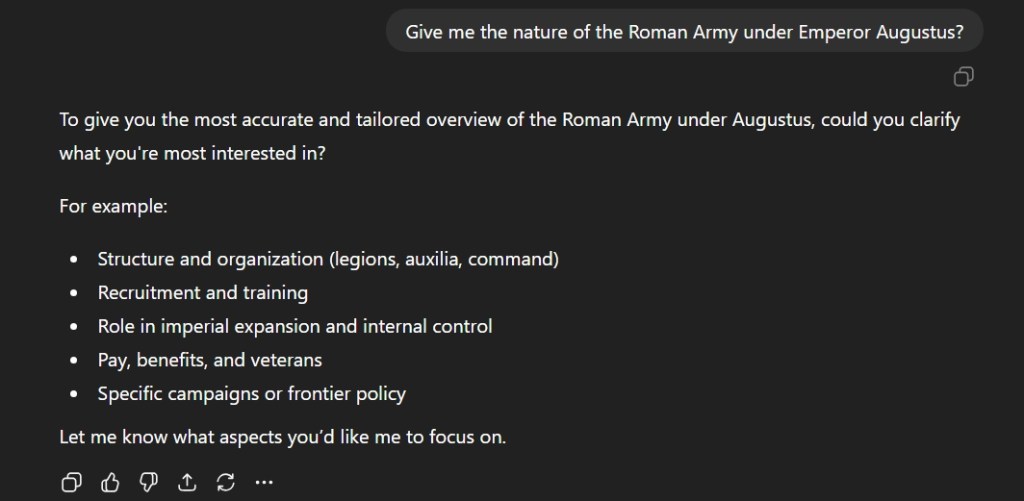
The next step is to type out your question. In this case, I chose to ask about the Roman army under the first Roman Emperor, Augustus. It would be wise to make sure you clarify specifics.

ChatGPT Deep Research History Questions

ChatGPT will ask you what you to focus on. Choose a topic that is relevant to your research.

Step 3: Focus your research

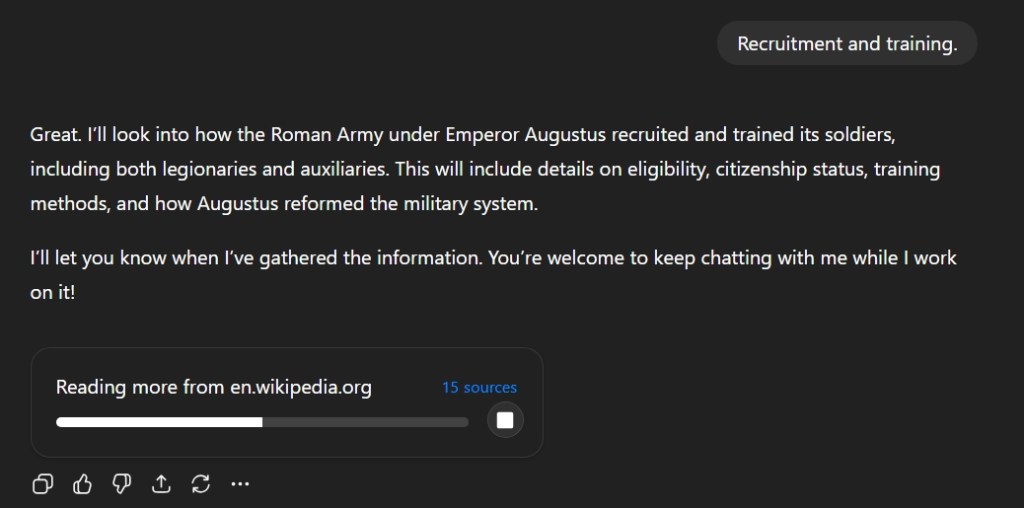
I selected Recruitment and Training and the chatbot begins its research on various sources.

ChatGPT Deep Research Sources Screen

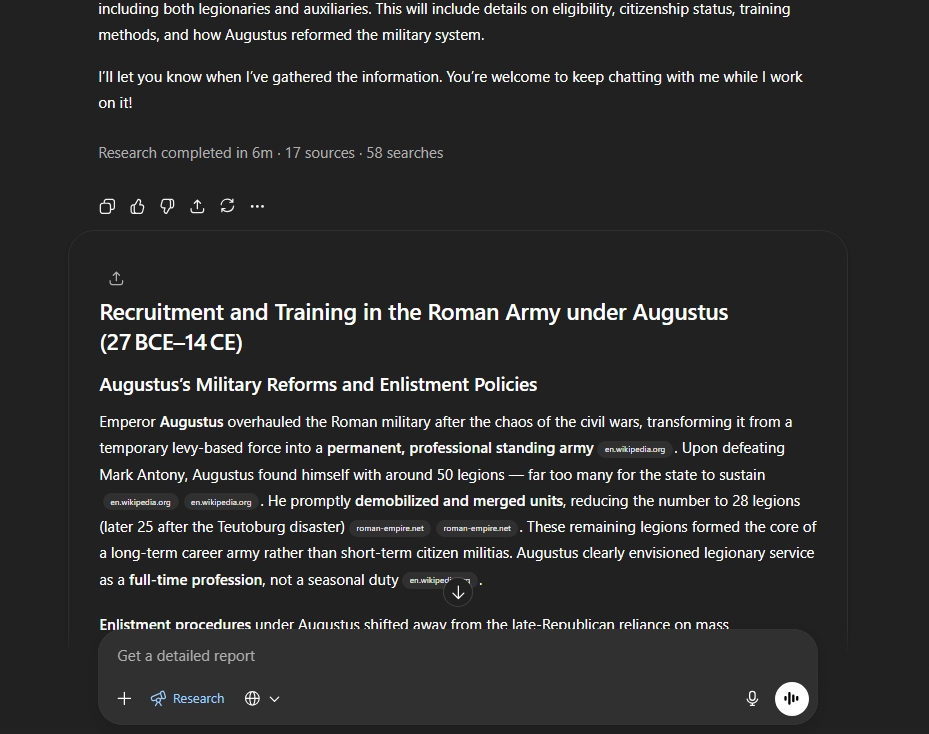
This process takes time and will take about 5 to 7 minutes depending on the topic. ChatGPT will show you what sources it using to conduct its research while the process is undergoing here.

Step 4: Check the results

ChatGPT will save you time. It will summarize many websites into a single response which will have hyperlink bubble located next to the regular text. Clicking these links will take to the websites so you can expand upon your research.

ChatGPT Deep Research Sources and reports

This tool will greatly help in research here.

Step 5: Integrate your research with original ideas

This is probably the hardest aspect of using ChatGPT here. Many students simply want to complete the homework without effort. This has been covered in publications multiple times. However, it is clear that the tool is here and its time to use to help reinvigorate an often-stale teaching profession. Students need to enhance their thinking and not let a machine replace it.