ChatGPT Deep Research Tutorial for High School Students

ChatGPT Deep Research

ChatGPT is changing the world of education, and I hope to be able to help make the process more usable for students specifically in the High School settings.

A new feature is available in the new versions of ChatGPT known as “Deep Research”. Basically, it makes ChatGPT spend lots of time looking through every source of information available to give you the best answer for you to do research on your topic.

Using this process requires that you are subscribed to ChatGPT Pro.

Step 1: Use the Deep Research button on the chat box in ChatGPT

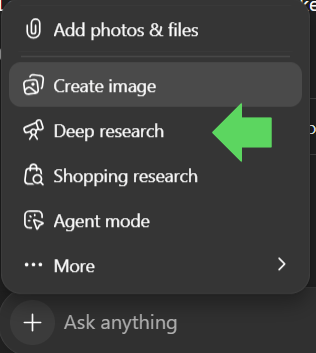
Click on the plus sign on the chat box in ChatGPT.

Then scroll to the Deep research with the telescope icon and click on the button.

ChatGPT Deep Research Icon Screen

Step 2: Ask your question

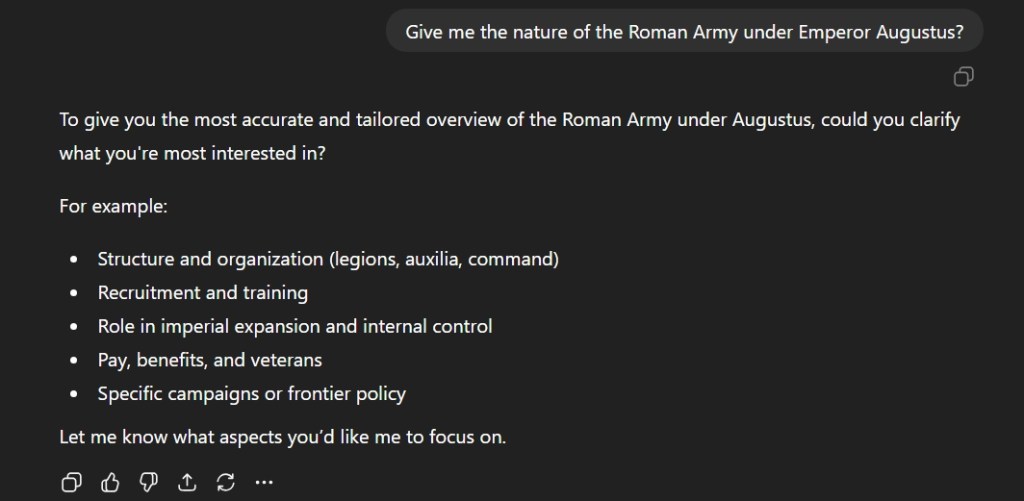
The next step is to type out your question. In this case, I chose to ask about the Roman army under the first Roman Emperor, Augustus. It would be wise to make sure you clarify specifics.

ChatGPT Deep Research History Questions

ChatGPT will ask you what you to focus on. Choose a topic that is relevant to your research.

Step 3: Focus your research

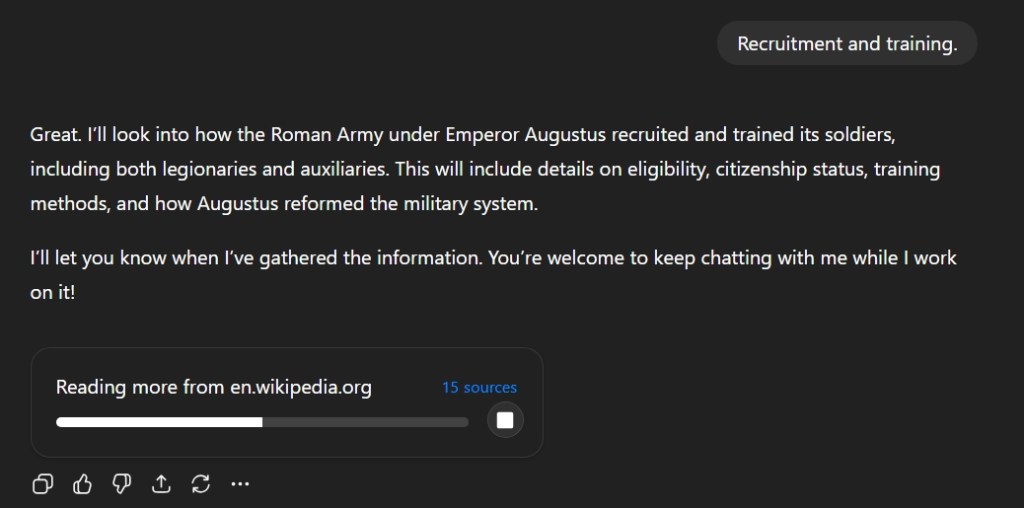
I selected Recruitment and Training and the chatbot begins its research on various sources.

ChatGPT Deep Research Sources Screen

This process takes time and will take about 5 to 7 minutes depending on the topic. ChatGPT will show you what sources it using to conduct its research while the process is undergoing here.

Step 4: Check the results

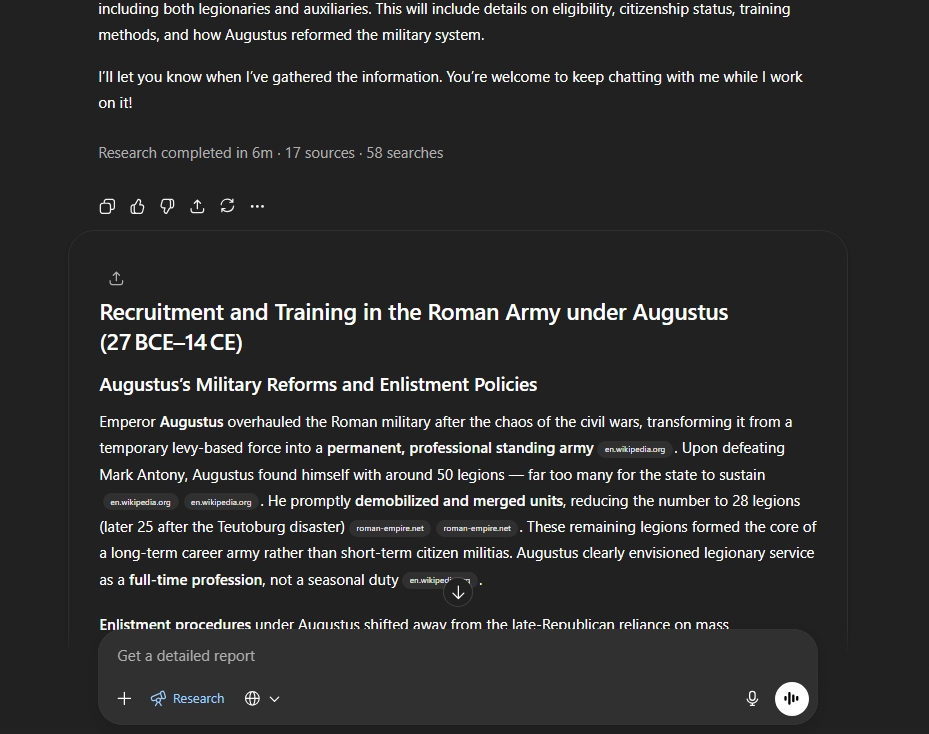
ChatGPT will save you time. It will summarize many websites into a single response which will have hyperlink bubble located next to the regular text. Clicking these links will take to the websites so you can expand upon your research.

ChatGPT Deep Research Sources and reports

This tool will greatly help in research here.

Step 5: Integrate your research with original ideas

This is probably the hardest aspect of using ChatGPT here. Many students simply want to complete the homework without effort. This has been covered in publications multiple times. However, it is clear that the tool is here and its time to use to help reinvigorate an often-stale teaching profession. Students need to enhance their thinking and not let a machine replace it.

How to search and buy effectively with Amazon Rufus

Amazon Rufus

Introduction: Amazon Rufus, the Shopping AI.

Amazon has generally been a pretty straight forward website. It is a place where you buy things or if you are a seller, sell your items on the Amazon storefront similar to eBay. Unlike many other dotcom businesses in the 1990s, Jeff Bezos had a vision and a sustainable business model. However, this does not mean that Amazon is lying on its laurels and has been continuing to innovate in many areas.

Amazon’s Rufus is named after a dog who was in Amazon’s office in the early days. It’s function is very much like a digital golden retriever: it seeks out information about the items you want to buy on the site.

Rufus is available on desktop as well as the mobile app. On the desktop site, Rufus is located on the upper left side of the screen.

How to search with Amazon Rufus Chatbot.

To start, you need to start typing something into the Amazon search box.

Amazon Search Bar

When you type in something into the Amazon, Rufus will analyze it and it will provide relevant questions.

Amazon Rufus Rings

When you click on the question bubbles, Rufus will provide answers to your questions here. It combines ChatGPT with the Amazon customer review system which helps to create a unique AI.

I chose a Runic Ring to buy, the first result on the page.

Nanafast Viking Rings

When you click on the link to the product page, Amazon has now integrated Rufus into many aspects of the site.

Amazon Rufus AI Specific Info Questions

One of the best aspects of Amazon’s AI integration is that it is holistic. Unlike the older versions of chatbots that would you see before ChatGPT, companies such as Amazon are integrating throughout the site. It is not an annoyance on the side bar; it now greatly enhances your ability to shop on Amazon and save time instead of spending it on the annoying search engine in Amazon.

Amazon’s s Rufus is much better than Google’s AI overview as it curates the Amazon customer review system in order to provide better responses.

Amazon Rufus Queries

Amazon smartly chooses to have Rufus located throughout the page for each product that you click on the site. While it may seem overbearing for some, this approach means that Amazon is not just treating like a feature that is being hidden away on the screen. In many ways, Amazon is the prefect site for such implementation of Shopping chatbots.