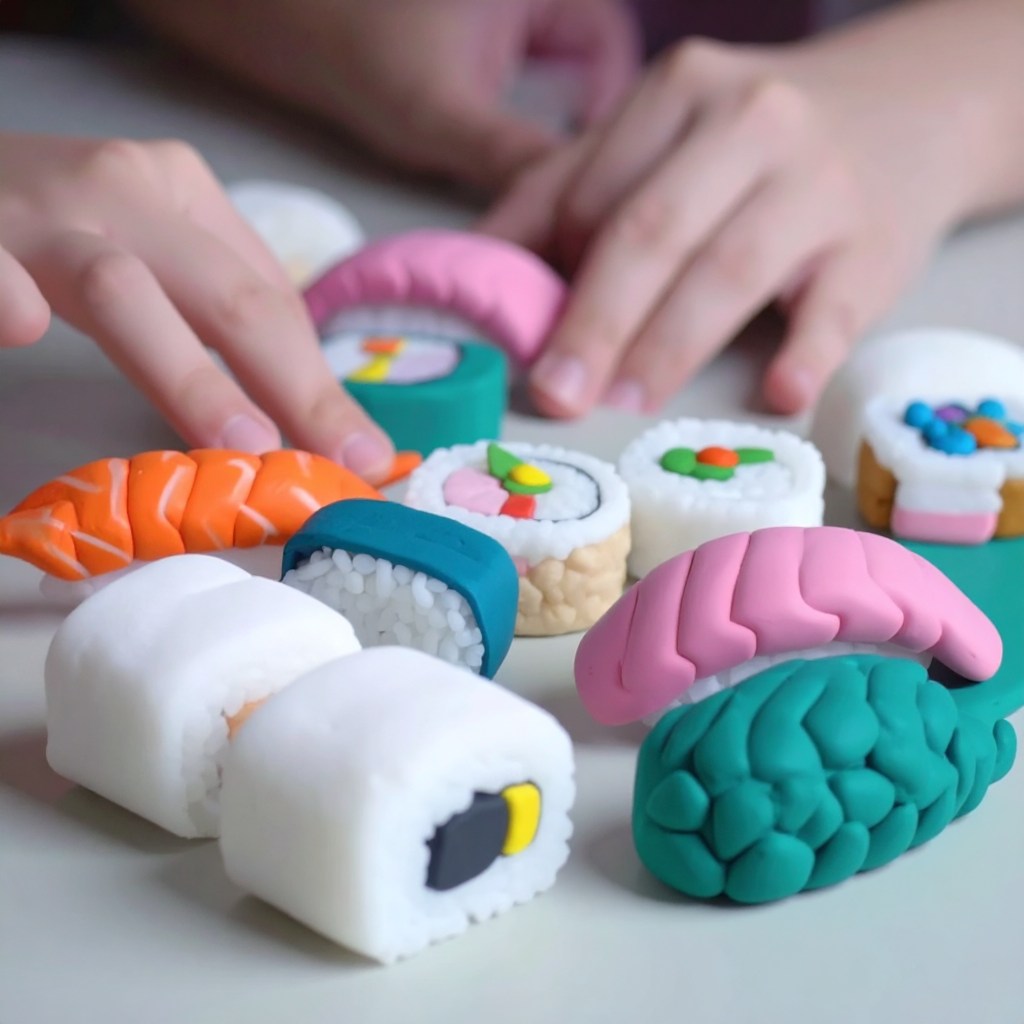
How Japanese Sushi appears in Adobe Firefly 4 if you select clay as an option
Adobe Firefly 4 has multiple art styles that make it a treat to use.
In the image above you can see that you turn what is ordinarily known as edible food into pieces of clay.
This is a very charming image. Sushi is a very photogenic food and being able to turn it into something artistic is a treat here.
This shows the strength of the Adobe platform and how its holistic integration of many features will give it an edge over other chatbots where the abilities seem to hidden behind multiple screens.
Firefly 4 is very unique and interesting platform which shows that competition in this area is giving consumers and businesses choices.
Adobe is company that been in the creative industry for many decades at this point. Photoshop is one of their most premier products and they are continuing in that tradition by leaning heavily into AI.
There are many generative AI models out there. Some are stronger than others at depicting certain art styles. Google Gemini is great at creating unvarnished photorealism. ChatGPT is great at certain kind of photorealism that leans more into Hollywood style here.
Adobe has an AI model known as Firefly and its honestly really great at its job here.
It is free and there is no subscription except to create an Adobe account here.
What I like about Adobe Express is that it centralizes the many AI models that are in use here. If you do not want use Adobe Firefly, then you purchase credits or have a subscription in order to use those models.
I think this is better than having so many separate apps for different models here. Three years ago, there was really only a couple AI models available publicly. Now, there are so many that it is becoming tough to keep up with it. Some of them have the strengths and weaknesses. Gemini in my opinion, is the best for photorealism. However, Adobe Firefly is also great here at creating photorealistic images though there is daily limit if you are not subscribed to it here.
Another aspect which is enhancing Adobe Express is its AI assistant. This allows for more precise prompts on one’s photos and art. I think that is better than Open Art Ai tools in that it has more precise editing here. Open Art’s Chat editing tools seemed amazing at first for me, but it is slow and there is still the issue of having to exit an app and go to another one if you are having issues with that model.
Much as many companies are now selling all-in-one management systems for particular industries, I think Adobe has the right approach here.
The Adobe Premium plan starts at $9.99 a month or $99.99 a year. I think that this more affordable than their previous plans which were Photoshop or Premiere Pro bundles.
I highly recommend getting this subscription as this is a great digital art and AI hub for creatives.




 My Game Reviews