

How to make professional selling images for your eBay store using ChatGPT Images

ChatGPT Ebay 1

ChatGPT is changing the world of ecommerce by making it more efficient to showcase images of what you are selling online.

On eBay, great images are vital for making a shop successful and turning a hobby into profitable reselling business.

Here are the five steps to use ChatGPT in order to create professional selling images that will be much better than using your old camera.

How to create professional selling images for an item on your eBay store

To start, make sure you have taken photos of your items before uploading them into the template.

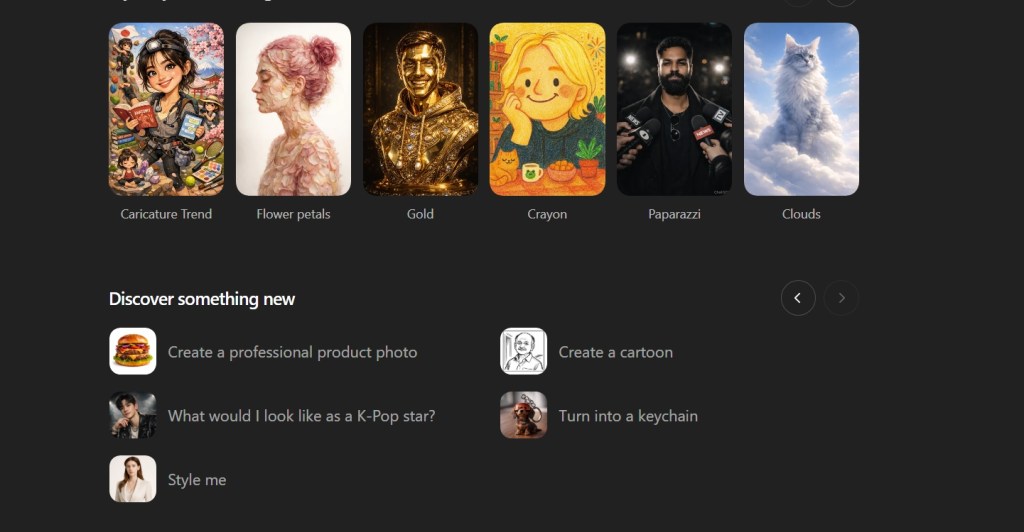
Step 1:

Select: Create a professional product photo
ChatGPT eBay 2

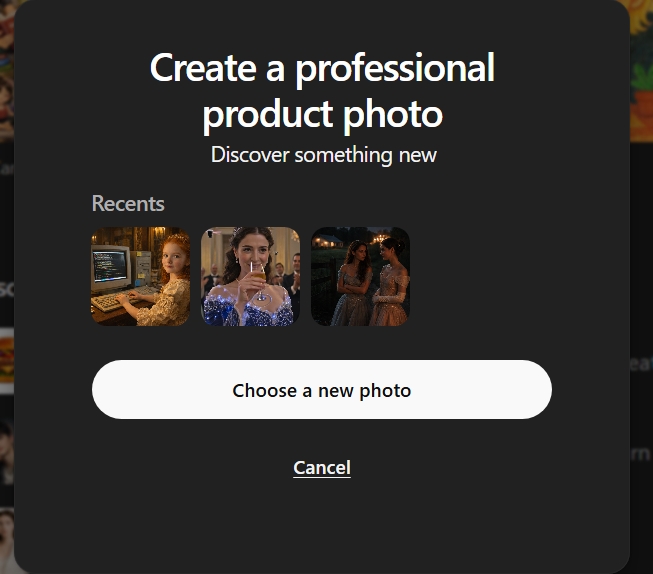
Step 2: Select photo to use with the template

Note: ChatGPT will show you recent photos that you made within their platform to use as a way to guide the chatbot to creating your preferred professional photo.
ChatGPT eBay 3

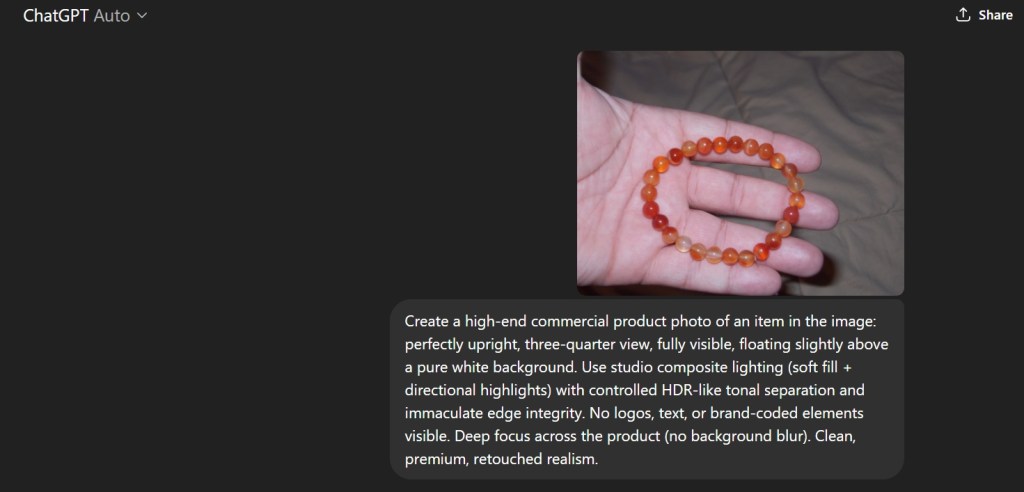
Step 3: Upload the photo.

ChatGPT will show you the prompt that it will use to create these professional photos.
ChatGPT eBay 4

The Result?

You get a clean professional product photo without having to get your white surfaces for your camera.

This will greatly help to speed up the process of making clean pictures of your products on eBay.
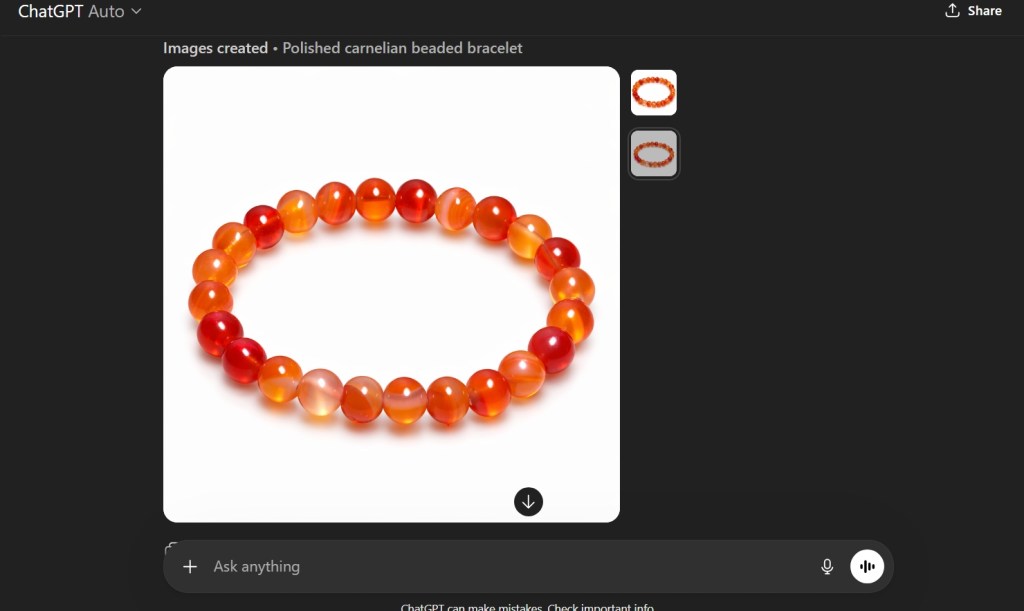
ChatGPT eBay 5

The Google Empire: Why we need more search engines other than Google

The usage of “network” effect to basically dismiss calls for other search engines or any other institution is a common phrase. The people who use it to say there is something transhistorical about Google and that people should be just accept Google. The thing that Google has is the ability to just control the access to information and also installing their search services on every Android device here. Microsoft got in trouble for the same thing, but now they are basically the underdogs here in the search space with Bing, which is good but is basically unable to gain traction because Google keeps people within their systems. This means that people only see Google and not other competitors.

I use Google’s products as they are not incompetent at making email services such as Gmail. However, they are often used as the only service and the “nerds” or power” users are trying to use other products. For example, think about DuckDuckGo or other search engines such as Bing as I mentioned earlier. However, Bing is the only one that is capable of challenging Google. In the early 2010s, its market share was higher than it is now but it is unable to get beyond a small percentage.

We need more search engine choices.

Why is that we allow people to congregate in the “best”

This best is being propped up with all sorts of trickery and manipulations. The most important thing that can happen now is that we need to break up the app stores of both Google and Apple. This duopoly has allowed for the ossification of many aspects of the internet. It has led to the decline in the quality of desktop sites. Previously, desktop sites had all their charm and qualities. Now it the same throughout and it is not interesting now. Even the corporate sites, the front page of a company’s brand have become little more than portals to their social media sites.

We need competition and while we may have alternatives, we do not currently have competition.

Search engines should be an area of competition and growth and not beholden to only one company. The internet is a space without any limit in space only bandwidth. We should have many choices.

How to search and buy effectively with Amazon Rufus

Amazon Rufus

Introduction: Amazon Rufus, the Shopping AI.

Amazon has generally been a pretty straight forward website. It is a place where you buy things or if you are a seller, sell your items on the Amazon storefront similar to eBay. Unlike many other dotcom businesses in the 1990s, Jeff Bezos had a vision and a sustainable business model. However, this does not mean that Amazon is lying on its laurels and has been continuing to innovate in many areas.

Amazon’s Rufus is named after a dog who was in Amazon’s office in the early days. It’s function is very much like a digital golden retriever: it seeks out information about the items you want to buy on the site.

Rufus is available on desktop as well as the mobile app. On the desktop site, Rufus is located on the upper left side of the screen.

How to search with Amazon Rufus Chatbot.

To start, you need to start typing something into the Amazon search box.

Amazon Search Bar

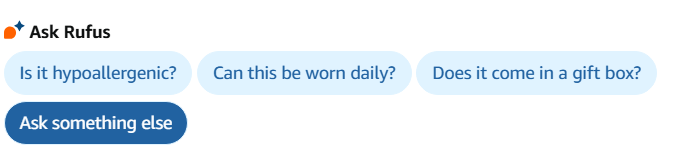
When you type in something into the Amazon, Rufus will analyze it and it will provide relevant questions.

Amazon Rufus Rings

When you click on the question bubbles, Rufus will provide answers to your questions here. It combines ChatGPT with the Amazon customer review system which helps to create a unique AI.

I chose a Runic Ring to buy, the first result on the page.

Nanafast Viking Rings

When you click on the link to the product page, Amazon has now integrated Rufus into many aspects of the site.

Amazon Rufus AI Specific Info Questions

One of the best aspects of Amazon’s AI integration is that it is holistic. Unlike the older versions of chatbots that would you see before ChatGPT, companies such as Amazon are integrating throughout the site. It is not an annoyance on the side bar; it now greatly enhances your ability to shop on Amazon and save time instead of spending it on the annoying search engine in Amazon.

Amazon’s s Rufus is much better than Google’s AI overview as it curates the Amazon customer review system in order to provide better responses.

Amazon Rufus Queries

Amazon smartly chooses to have Rufus located throughout the page for each product that you click on the site. While it may seem overbearing for some, this approach means that Amazon is not just treating like a feature that is being hidden away on the screen. In many ways, Amazon is the prefect site for such implementation of Shopping chatbots.